

Code scanning (SAST)
AlertaVuln runs a series of specialised scans over your source code, normalises everything they emit into one finding set, and tiers each finding REDYELLOWGREEN.
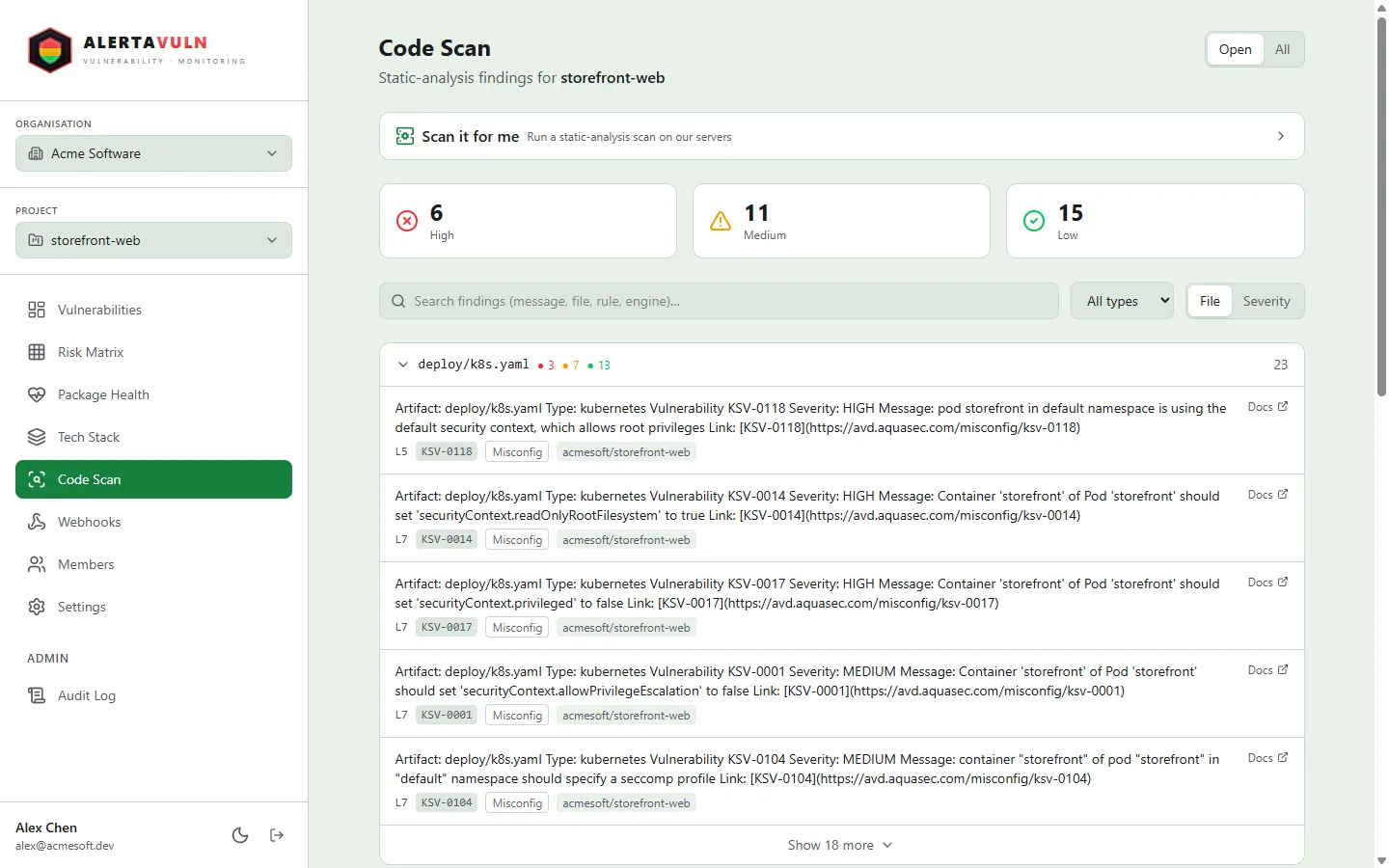
The Code Scan page: severity tiles up top, type filters, and findings grouped by file. Demo data.
Local-first by design
Section titled “Local-first by design”av sast scan runs every engine on your machine:
- Engines are downloaded on first use, pinned to an exact version, and verified against a hard-coded SHA-256 checksum before they are installed.
- Verified binaries are cached under
alertavuln/binin your user config directory and reused on later scans. - Each engine runs as a separate subprocess with a five-minute timeout - nothing is linked into the CLI.
- Your source code never leaves the machine. Only when you opt in with
--projectare the resulting findings - not your code - uploaded.
One engine failing does not abort the scan: the failure is recorded against that engine and the remaining engines still run.
The scan series
Section titled “The scan series”Rather than one monolithic analyser, av sast scan runs a series of
specialised scanners over your tree. Between them the series covers:
- Insecure code patterns in your source, across the languages present in the tree.
- Hard-coded secrets and credentials - API keys, access keys, private keys, passwords and tokens.
- Infrastructure-as-code misconfigurations in Terraform, Dockerfiles, Kubernetes manifests, Helm charts and CloudFormation.
- Licences present in the scanned tree.
Every scanner is version-pinned and checksum-verified before it runs, and every scan runs the whole series, so a given CLI build always produces reproducible results: the same scanners, at the same versions, on every run.
Dependency-vulnerability scanning is deliberately not part of the series. Dependency CVEs are owned by the core CVE pipeline - your tech stack matched against CVE announcements on the Vulnerabilities page - so scanning for them here would double-report the same CVEs on the Code Scan page.
RED / YELLOW / GREEN tiering
Section titled “RED / YELLOW / GREEN tiering”Engines emit SARIF. A numeric security-severity score (0–10) wins when one
is present; otherwise the SARIF level decides:
| Signal | Tier |
|---|---|
| Score ≥ 7.0 | RED |
| Score 4.0 – 6.9 | YELLOW |
| Score below 4.0 | GREEN |
Level error, no score |
RED |
Level warning, no score |
YELLOW |
| Any other level, no score | GREEN |
A result with no explicit level inherits its rule’s default level, so scanners that declare severity per rule tier correctly.
For CI gating, --fail-on red (or yellow) makes the scan exit non-zero when
the worst finding reaches that tier.
Uploading to a project
Section titled “Uploading to a project”Pass --project to upload the findings so they appear on the project’s Code
Scan page, where they are grouped into Secrets, Misconfig, Code
and License categories. The scan’s source repo and git ref are detected
from the scanned working tree’s git metadata (--repo / --ref override the
detection; --no-upload keeps a scan local-only). Uploaded findings carry
their raw SARIF signals, and the server computes the authoritative tier from
them.
One issue, however many lines it touches
Section titled “One issue, however many lines it touches”When the same rule matches the same file several times - five hardcoded secrets in one
nginx.conf, say - that is one thing to fix, not five. Findings of the same rule in the
same file are grouped into a single finding carrying every location, and the group raises
one alert rather than one per line.
The grouping is a layer over the findings, not a replacement for them. Each location keeps its own identity, so anything you do per line still works exactly as before: ignoring a single false positive, an acknowledgement on one instance, a reachability verdict computed for one call site. Expanding the finding lists every location with its own reachability chip and its own Ignore control.
What changes is the noise. A group that grows a sixth instance does not page you again - it is the same issue in the same file, and you already know. It re-alerts only when the group is new, when it had gone quiet and came back, or when its worst severity gets worse (a RED landing in a group you knew as YELLOW is new information).
Acknowledging a grouped finding accepts the risk on every location at once, including locations currently fixed - so one that reopens later stays inside the accepted risk. A location that appears after you acknowledged is deliberately not covered: new risk is un-accepted by default, and the group resurfaces.
Server-side scanning (Enterprise)
Section titled “Server-side scanning (Enterprise)”If you can’t - or don’t want to - check a repo out locally,
av sast server-scan asks AlertaVuln to clone and scan a project’s connected
repos on our infrastructure. It is an Enterprise feature, counts against a
weekly quota on a rolling 7-day window, and always prints a cost warning
before enqueueing. The local av sast scan stays free and unlimited on every
plan.
What each area covers
Section titled “What each area covers”See also
Section titled “See also”av sast scan- run a local scanav sast server-scan- scan connected repos on AlertaVuln’s infrastructure (Enterprise)