

av sast findings
List the SAST findings the server currently holds for a project, each tiered REDYELLOWGREEN.
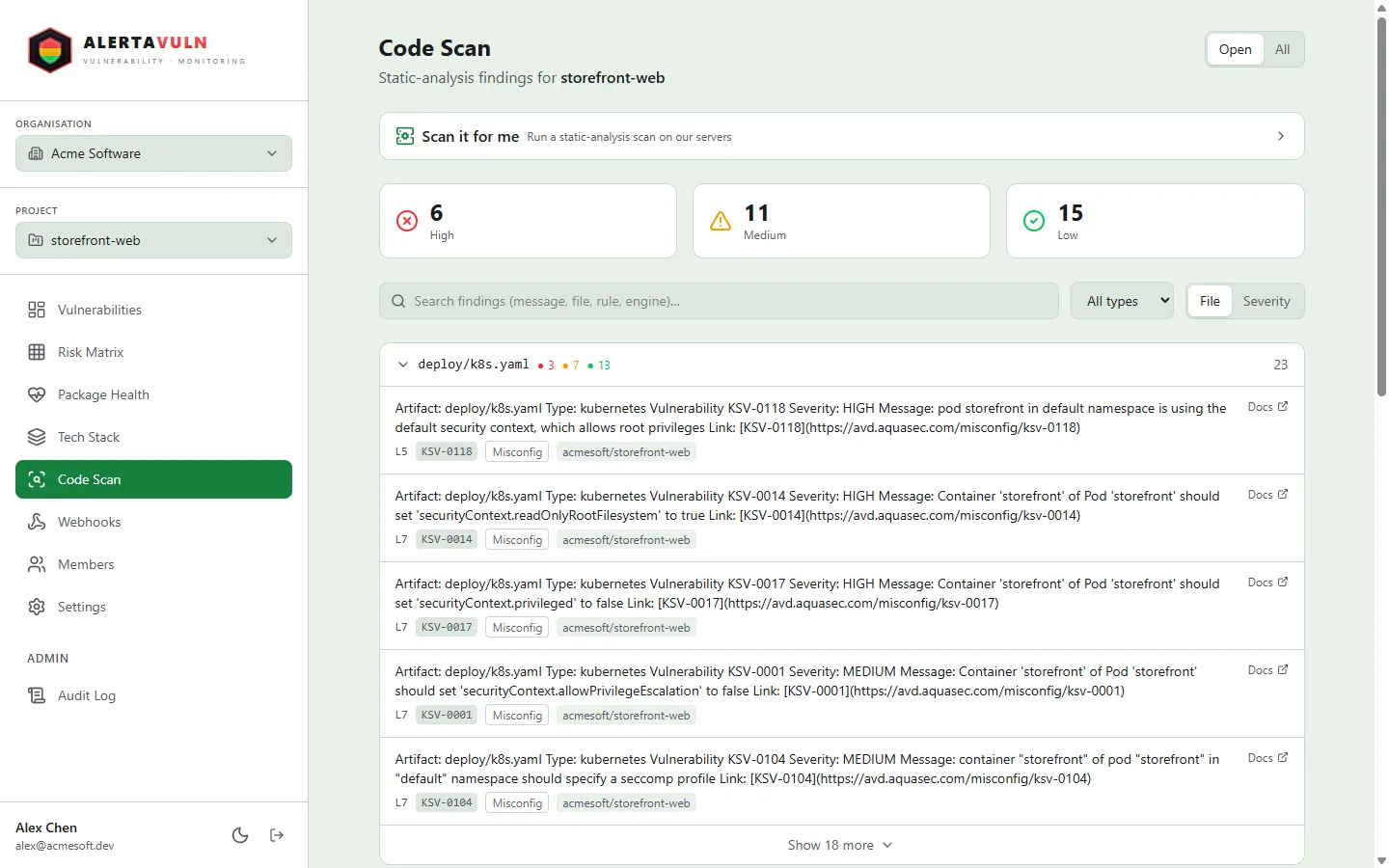
The same findings appear on the Code Scan page in the web app. Demo data.
Synopsis
Section titled “Synopsis”av sast findings [flags]Description
Section titled “Description”av sast findings pulls a project’s findings from the server - the
consolidated result of every local (av sast scan --project) and
server-side scan. You must be logged in (av login), and --project is
required.
Three filters narrow the list. --state selects open (the default),
fixed, or all findings. --severity keeps one tier: red, yellow, or
green. --repo keeps findings whose source repo URL contains the given
substring (case-insensitive) - handy when a project has several connected
repos.
The default output is a table - SEVERITY, STATE, ENGINE, RULE,
LOCATION (file:line), REPO, MESSAGE - headed by a summary of the
RED / YELLOW / GREEN counts. In the table, messages are collapsed to a single
line and truncated at 140 characters; --json and --export keep the full,
untouched message. --json prints the raw JSON payload instead (with
--repo, the payload is the filtered set).
--export writes the result to disk instead of printing a table: a styled,
self-contained HTML report, or the raw JSON when combined with --json.
Pass a directory to get sast-findings.html (or .json) inside it, or a
path with an extension to name the file yourself.
Options
Section titled “Options”| Flag | Default | Description |
|---|---|---|
--project |
- | Project ID (required) |
--state |
open |
Finding state: open, all, or fixed |
--severity |
- | Filter by severity: red, yellow, or green |
--repo |
- | Filter to findings whose repo URL contains this substring (case-insensitive) |
--json |
false |
Output raw JSON instead of a table |
--export |
- | Export to a directory or file (HTML; raw JSON with --json) |
Examples
Section titled “Examples”List a project’s open findings:
av sast findings --project <projectId>Focus on what needs action now - open RED findings only:
av sast findings --project <projectId> --severity red --state openPull one repo’s findings as JSON, for scripting or piping into jq:
av sast findings --project <projectId> --repo acme/api --jsonExit codes
Section titled “Exit codes”| Code | Meaning |
|---|---|
0 |
Findings listed (or exported), even when the list is empty |
1 |
Not logged in, missing --project, invalid --state or --severity, or the API request failed |
See also
Section titled “See also”av sast scan- run the engines locally and upload findings to a projectav sast jobs- show the server-side scan-job history for a projectav sast server-scan- scan a project’s connected repos on AlertaVuln’s infrastructure (Enterprise)